

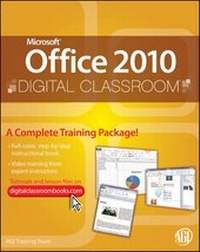
Office 2010 Digital Classroom
1st Edition
Published on 1. March 2011
Book
Paperback/Softback
464 pages
978-0-470-57777-6 (ISBN)
Description
The complete book-and-DVD training package for Office 2010!
This terrific Office 2010 book-and-DVD package-from the same professional training experts who also create many training materials for Adobe Systems-is like having your own personal instructor guiding you through each lesson, but you work at your own pace! The full-color book includes 21 lessons that teach you the new features and quirks of Microsoft Office 2010.
Each lesson includes step-by-step instructions and lesson files, while the DVD provides valuable video tutorials that complement what you're learning and clearly demonstrate how to do tasks. This jam-packed training package takes you well beyond the basics in a series of easy-to-absorb, five-minute lessons.
* Shows you how to use Microsoft Office 2010, the new version of the Microsoft Office suite that is available in standard 32-bit and now also a 64-bit version
* Walks you through 21 lessons, each consisting of easy-to-follow, step-by-step instructions and lesson files in full color that make each task less intimidating
* Includes a DVD of tutorials that clearly show you how to do tasks and reinforces what you're learning in the book
* Covers exciting new Office 2010 features such as Office Web apps that can be accessed from anywhere and a streamlined new Ribbon
* Provides the perfect, one-stop, robust learning package-with book and DVD
* Additional resources available on companion Web site: www.digitalclassroombooks.com
Learn the ins-and-outs of Office 2010 with this all-in-one, value-packed combo!
This terrific Office 2010 book-and-DVD package-from the same professional training experts who also create many training materials for Adobe Systems-is like having your own personal instructor guiding you through each lesson, but you work at your own pace! The full-color book includes 21 lessons that teach you the new features and quirks of Microsoft Office 2010.
Each lesson includes step-by-step instructions and lesson files, while the DVD provides valuable video tutorials that complement what you're learning and clearly demonstrate how to do tasks. This jam-packed training package takes you well beyond the basics in a series of easy-to-absorb, five-minute lessons.
* Shows you how to use Microsoft Office 2010, the new version of the Microsoft Office suite that is available in standard 32-bit and now also a 64-bit version
* Walks you through 21 lessons, each consisting of easy-to-follow, step-by-step instructions and lesson files in full color that make each task less intimidating
* Includes a DVD of tutorials that clearly show you how to do tasks and reinforces what you're learning in the book
* Covers exciting new Office 2010 features such as Office Web apps that can be accessed from anywhere and a streamlined new Ribbon
* Provides the perfect, one-stop, robust learning package-with book and DVD
* Additional resources available on companion Web site: www.digitalclassroombooks.com
Learn the ins-and-outs of Office 2010 with this all-in-one, value-packed combo!
More details
Series
Edition
1., Auflage
Language
English
Place of publication
Chichester
United Kingdom
Publishing group
John Wiley and Sons Ltd
Target group
Professional and scholarly
Dimensions
Height: 23.3 cm
Width: 18.7 cm
Thickness: 24 mm
Weight
1043 gr
ISBN-13
978-0-470-57777-6 (9780470577776)
Schweitzer Classification
Persons
The AGI Training Team develops and delivers technology training programs for corporations worldwide. They have created official training programs, including books and videos, for companies such as Microsoft and Adobe Systems. Information about training classes and seminars is available at www.agitraining.com.
Content
Starting Up. About Microsoft Office 2010 Digital Classroom. Prerequisites. System requirements. Fonts used in this book. Loading lesson files. Word Lesson 1: Microsoft Word 2010 Jumpstart. Word Lesson 2: Getting Started with Microsoft Word 2010. Word Lesson 3: Editing the Document. Word Lesson 4: Formatting Paragraphs. Word Lesson 5: Working with Pages. Word Lesson 6: Working with Styles and Themes. Word Lesson 7: Working with Tables. Word Lesson 8: Working with Graphics. Excel Lesson 1: Microsoft Excel 2010 Jumpstart. Excel Lesson 2: Getting Started with Microsoft Excel 2010. Excel Lesson 3: Editing Cells. Excel Lesson 4: Formatting Cell Ranges. Excel Lesson 5: Building Formulas and Functions. Excel Lesson 6: Displaying Data with Charts. Excel Lesson 7: Analyzing Excel Data. Excel Lesson 8: Adding Graphic Objects. PowerPoint Lesson 1: Microsoft PowerPoint 2010 Jumpstart. PowerPoint Lesson 2: Getting Started with Microsoft PowerPoint 2010. PowerPoint Lesson 3: Working with Tables and Charts. PowerPoint Lesson 4: Working with Graphic Elements. Access Lesson 1: Microsoft Access 2010 Jumpstart. Access Lesson 2: Getting Started with Microsoft Access 2010. OneNote Lesson 1: Microsoft OneNote 2010 Jumpstart. OneNote Lesson 2: Getting Started with Microsoft OneNote 2010. Publisher Lesson 1: Microsoft Publisher 2010 Jumpstart. Publisher Lesson 2: Getting Started with Microsoft Publisher 2010. Outlook Lesson 1: Microsoft Outlook Essentials.