

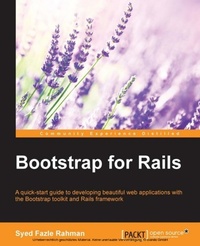
Bootstrap for Rails
A quick-start guide to developing beautiful web applications with the Bootstrap toolkit and Rails framework
1. Auflage
Erschienen am 7. Oktober 2025
168 Seiten
978-1-78398-727-6 (ISBN)
Beschreibung

Key FeaturesBook DescriptionIf you are a web developer who has a basic understanding of Ruby on Rails, this is the book for you. You should definitely have previous knowledge about HTML and how it works. However, CSS and JavaScript knowledge is optional for this book.What you will learnWho this book is for
Alle Preise
Weitere Details
Weitere Ausgaben
Andere Ausgaben
Person
F Rahman Syed :
Syed Fazle Rahman is an experienced frontend developer. He has published many frontend articles for SitePoint.com and HTMLxprs.com. His articles on Bootstrap framework are amongst the most popular ones in the web. He is enthusiastic about start-ups and likes technical writing/editing. He is the cofounder of devmag.io-a network for developers and technologists. devmag.io helps technology enthusiasts connect and discover various programming and technology content.
Syed Fazle Rahman is an experienced frontend developer. He has published many frontend articles for SitePoint.com and HTMLxprs.com. His articles on Bootstrap framework are amongst the most popular ones in the web. He is enthusiastic about start-ups and likes technical writing/editing. He is the cofounder of devmag.io-a network for developers and technologists. devmag.io helps technology enthusiasts connect and discover various programming and technology content.
Inhalt
- Intro
- Bootstrap for Rails
- Table of Contents
- Bootstrap for Rails
- Credits
- About the Author
- About the Reviewers
- www.PacktPub.com
- Support files, eBooks, discount offers, and more
- Why subscribe?
- Free access for Packt account holders
- Preface
- What this book covers
- What you need for this book
- Who this book is for
- Conventions
- Reader feedback
- Customer support
- Downloading the example code
- Errata
- Piracy
- Questions
- 1. Introducing Web Application Development in Rails
- Why Bootstrap with Rails?
- Setting up a Todo application in Rails
- Analyzing folder structure of a Rails application
- Creating views
- Styling views using CSS
- Redesigning the Todo application
- Challenges in styling a Rails application traditionally
- Summary
- 2. Introducing Bootstrap 3
- What is Bootstrap?
- Installing Bootstrap in a Rails project
- Placing Bootstrap files in a Rails project
- Bootstrap - the Sass way
- Bootstrap through CDN
- Summary
- 3. Powering a Rails App with Bootstrap's Grid System
- What is Bootstrap's grid system?
- Nesting columns
- Implementing Bootstrap's grid system in a Rails application
- Summary
- 4. Using Bootstrap's Typography, Buttons, and Images in a Rails Application
- Setting up
- Styling typography
- Aligning text
- Text transformation
- Blockquotes
- Styling listing elements
- Creating and styling buttons
- Which elements are eligible to use Bootstrap's button classes?
- Styling images in Bootstrap
- Summary
- 5. Reinventing Tables and Forms in Bootstrap
- Creating Bootstrap tables
- Creating Bootstrap forms
- Validation classes in Bootstrap forms
- Adding Bootstrap tables to our Rails application
- Adding Bootstrap forms to our Rails application
- Summary
- 6. Creating Navigation Bars
- Getting started with a navigation bar
- Navigation bar helper classes
- Adding a navigation bar to the Rails application
- Summary
- 7. Various Other Bootstrap Components
- Bootstrap Breadcrumbs
- The pagination component
- Bootstrap labels and badges
- Bootstrap jumbotrons
- Alerts
- Creating a progress bar
- Panels
- Summary
- 8. Working with Bootstrap Modals
- Getting started with modals
- Changing Bootstrap's modal size
- Additional Bootstrap modal features
- Fetching remote content from a Bootstrap modal
- Using Bootstrap's modal in a Rails application
- Summary
- 9. Creating Image Slideshows with Bootstrap Carousel
- Getting started with Bootstrap Carousel
- Adding captions to the slides
- Customizing Carousel
- Summary
- 10. Creating a Shopping Cart Using Bootstrap Modals
- Adding a shopping cart symbol
- Creating a shopping cart using modals
- Summary
- A. Adding Custom Styles to a Rails Application
- Adding Bootstrap-sass to a Rails application
- Customizing Bootstrap through variables
- Summary
- Index

