

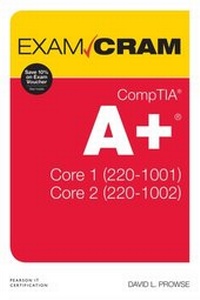
CompTIA A+ Core 1 (220-1001) and Core 2 (220-1002) Exam Cram
1. Auflage
Erschienen am 28. Januar 2020
416 Seiten
978-0-13-530125-8 (ISBN)
Beschreibung

This is the eBook version of the print title. The eBook edition does not provide access to the test engine and practice test that accompanies the print book.
This is the perfect study guide to help you pass CompTIA (R)'s new A+ (R) Core 1 (220-1001) and Core 2 (220-1002) exams. It provides coverage and practice questions for every exam topic, including substantial new coverage of Windows 10, as well as new PC hardware, tablets, smartphones, macOS, Linux, cloud computing, and professional-level networking and security. Extensive prep tools include quizzes, Exam Alerts, our great last-minute Cram Sheet, two full practice exams in the print book and an additional two exams in the test engine, plus complete real-time practice and feedback through Pearson's state-of-the-art test engine. You'll also find 14 exclusive Real-World Scenario case studies, all linked to simulations or video on our bonus content site.
Covers the critical information you'll need to know to score higher on your A+ Core 1 (220-1001) and Core 2 (220-1002) exams!
--Deploy and manage computers running Windows 10/8/7, macOS, Linux, iOS, and Android
--Master and practice the six-step A+ troubleshooting process
--Understand, install, configure, and troubleshoot motherboards, CPUs, and memory
--Test and troubleshoot power-related problems
--Use all forms of storage, including SSDs, optical devices, and RAID systems
--Work effectively with mobile devices, including laptops, tablets, and smartphones
--Configure Windows components and applications, use Windows administrative tools, and optimize Windows systems
--Repair damaged Windows environments and troubleshoot Windows issues
--Install and manage printers and other peripherals
--Understand and work with networks, network hardware, wireless protocols, and cloud technologies
--Install and configure SOHO wired/wireless networks, and troubleshoot connectivity
--Secure desktops and mobile devices, implement authentication methods, prevent malware attacks, and protect data
This is the perfect study guide to help you pass CompTIA (R)'s new A+ (R) Core 1 (220-1001) and Core 2 (220-1002) exams. It provides coverage and practice questions for every exam topic, including substantial new coverage of Windows 10, as well as new PC hardware, tablets, smartphones, macOS, Linux, cloud computing, and professional-level networking and security. Extensive prep tools include quizzes, Exam Alerts, our great last-minute Cram Sheet, two full practice exams in the print book and an additional two exams in the test engine, plus complete real-time practice and feedback through Pearson's state-of-the-art test engine. You'll also find 14 exclusive Real-World Scenario case studies, all linked to simulations or video on our bonus content site.
Covers the critical information you'll need to know to score higher on your A+ Core 1 (220-1001) and Core 2 (220-1002) exams!
--Deploy and manage computers running Windows 10/8/7, macOS, Linux, iOS, and Android
--Master and practice the six-step A+ troubleshooting process
--Understand, install, configure, and troubleshoot motherboards, CPUs, and memory
--Test and troubleshoot power-related problems
--Use all forms of storage, including SSDs, optical devices, and RAID systems
--Work effectively with mobile devices, including laptops, tablets, and smartphones
--Configure Windows components and applications, use Windows administrative tools, and optimize Windows systems
--Repair damaged Windows environments and troubleshoot Windows issues
--Install and manage printers and other peripherals
--Understand and work with networks, network hardware, wireless protocols, and cloud technologies
--Install and configure SOHO wired/wireless networks, and troubleshoot connectivity
--Secure desktops and mobile devices, implement authentication methods, prevent malware attacks, and protect data
Alle Preise
Weitere Details
Reihe
Auflage
1. Auflage
Sprache
Englisch
Verlagsort
Upper Saddle River
USA
Verlagsgruppe
Pearson Education (US)
Zielgruppe
Für Beruf und Forschung
Dateigröße
19,08 MB
ISBN-13
978-0-13-530125-8 (9780135301258)
Copyright in bibliographic data and cover images is held by Nielsen Book Services Limited or by the publishers or by their respective licensors: all rights reserved.
Schweitzer Klassifikation
Weitere Ausgaben
Andere Ausgaben
Buch
10/2019
Pearson It Certification
62,91 €
Versand in 3-4 Wochen
Person
David L. Prowse is the author of more than a dozen computer training books and video products. He has worked in the computer field for 25 years and loves to share his experience through teaching and writing.
He runs the website https://dprocomputer.com, where he gladly answers questions from readers and students.
He runs the website https://dprocomputer.com, where he gladly answers questions from readers and students.
Inhalt
Chapter 1 Laptops, Part 1
Chapter 2 Laptops, Part 2
Chapter 3 Smartphones, Tablets, and Other Mobile Devices, Part 1
Chapter 4 Smartphones, Tablets, and Other Mobile Devices, Part 2
Chapter 5 Ports, Protocols, and Network Devices
Chapter 6 SOHO Networks and Wireless Protocols
Chapter 7 Networked Hosts and Network Configuration
Chapter 8 Network Types and Networking Tools
Chapter 9 Cables and Connectors
Chapter 10 RAM and Storage
Chapter 11 Motherboards and Add-on Cards
Chapter 12 CPUs
Chapter 13 Peripherals and Power
Chapter 14 Custom PCs and Common Devices
Chapter 15 Printers and Multifunction Devices
Chapter 16 Cloud Computing and Client-side Virtualization
Chapter 17 Computer Troubleshooting 101
Chapter 18 Troubleshooting Motherboards, CPUs, RAM, and Power
Chapter 19 Troubleshooting Hard Drives and RAID Arrays
Chapter 20 Troubleshooting Video Issues and Mobile Devices
Chapter 21 Troubleshooting Printers
Chapter 22 Troubleshooting Wired and Wireless Network Problems
Chapter 23 Operating System Types and Windows Versions
Chapter 24 Operating System Installation
Chapter 25 Microsoft Command Line Tools
Chapter 26 Microsoft Operating System Features and Tools, Part 1
Chapter 27 Microsoft Operating System Features and Tools, Part 2
Chapter 28 Windows Control Panel Utilities
Chapter 29 Windows Networking and Application Installatio
Chapter 30 Linux and macOS Tools
Chapter 31 Physical and Logical Security
Chapter 32 Wireless Security, Malware, and Social Engineering
Chapter 33 Windows Security Settings and Best Practices
Chapter 34 Mobile Device Security
Chapter 35 Data Destruction and SOHO Security
Chapter 36 Troubleshooting Microsoft Windows
Chapter 37 Troubleshooting PC Security Issues and Malware Removal
Chapter 38 Troubleshooting Mobile Operating Systems
Chapter 39 Documentation, Change Management, and Disaster Recovery
Chapter 40 Safety Procedures and Environmental Controls
Chapter 41 Incident Response, Communication, and Professionalism
Chapter 42 Basic Scripting and Remote Access Technologies
Chapter 43 Getting Ready for the Exams, and Farewell
Chapter 2 Laptops, Part 2
Chapter 3 Smartphones, Tablets, and Other Mobile Devices, Part 1
Chapter 4 Smartphones, Tablets, and Other Mobile Devices, Part 2
Chapter 5 Ports, Protocols, and Network Devices
Chapter 6 SOHO Networks and Wireless Protocols
Chapter 7 Networked Hosts and Network Configuration
Chapter 8 Network Types and Networking Tools
Chapter 9 Cables and Connectors
Chapter 10 RAM and Storage
Chapter 11 Motherboards and Add-on Cards
Chapter 12 CPUs
Chapter 13 Peripherals and Power
Chapter 14 Custom PCs and Common Devices
Chapter 15 Printers and Multifunction Devices
Chapter 16 Cloud Computing and Client-side Virtualization
Chapter 17 Computer Troubleshooting 101
Chapter 18 Troubleshooting Motherboards, CPUs, RAM, and Power
Chapter 19 Troubleshooting Hard Drives and RAID Arrays
Chapter 20 Troubleshooting Video Issues and Mobile Devices
Chapter 21 Troubleshooting Printers
Chapter 22 Troubleshooting Wired and Wireless Network Problems
Chapter 23 Operating System Types and Windows Versions
Chapter 24 Operating System Installation
Chapter 25 Microsoft Command Line Tools
Chapter 26 Microsoft Operating System Features and Tools, Part 1
Chapter 27 Microsoft Operating System Features and Tools, Part 2
Chapter 28 Windows Control Panel Utilities
Chapter 29 Windows Networking and Application Installatio
Chapter 30 Linux and macOS Tools
Chapter 31 Physical and Logical Security
Chapter 32 Wireless Security, Malware, and Social Engineering
Chapter 33 Windows Security Settings and Best Practices
Chapter 34 Mobile Device Security
Chapter 35 Data Destruction and SOHO Security
Chapter 36 Troubleshooting Microsoft Windows
Chapter 37 Troubleshooting PC Security Issues and Malware Removal
Chapter 38 Troubleshooting Mobile Operating Systems
Chapter 39 Documentation, Change Management, and Disaster Recovery
Chapter 40 Safety Procedures and Environmental Controls
Chapter 41 Incident Response, Communication, and Professionalism
Chapter 42 Basic Scripting and Remote Access Technologies
Chapter 43 Getting Ready for the Exams, and Farewell
